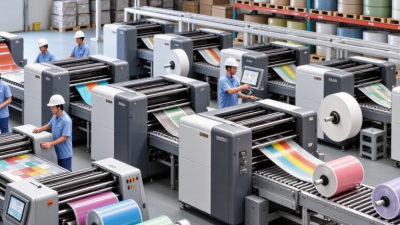
Choosing a Packaging Printing Machine can change how a product looks, performs, and reaches customers. It is not merely a purchase for adding color. The right machine supports consistent branding, readable information, and efficient production across bags, cartons, labels, and flexible films.
In practical packaging operations, print quality is judged under pressure. Ink must remain clear after handling, folding, sealing, and transport. A reliable machine can reduce alignment errors, material waste, and repeated production runs. Modern systems may also offer faster setup, digital controls, automatic registration, and compatibility with several substrates. These features matter when packaging sizes change frequently. They also help manufacturers respond to smaller orders without sacrificing professional results.
Details reveal the difference. A crisp barcode, even color coverage, and clean fine text can prevent costly rework. However, buying the fastest machine is not always the wisest decision. I have seen equipment appear impressive during demonstrations but feel complicated during daily operation. Operator training, maintenance access, spare parts, and technical support deserve equal attention. They are easy to overlook.
The best choice depends on actual production needs, not impressive specifications alone. Consider print volume, ink technology, material types, available floor space, and quality-control procedures. Ask suppliers for sample testing and realistic running data. Confirm that the machine supports responsible material handling and applicable packaging standards. Performance claims should be verified.
A thoughtful investment creates more than attractive packaging. It builds repeatable quality, supports customer trust, and leaves room for future growth. Mistakes may still happen. The goal is to make them visible, manageable, and less frequent.
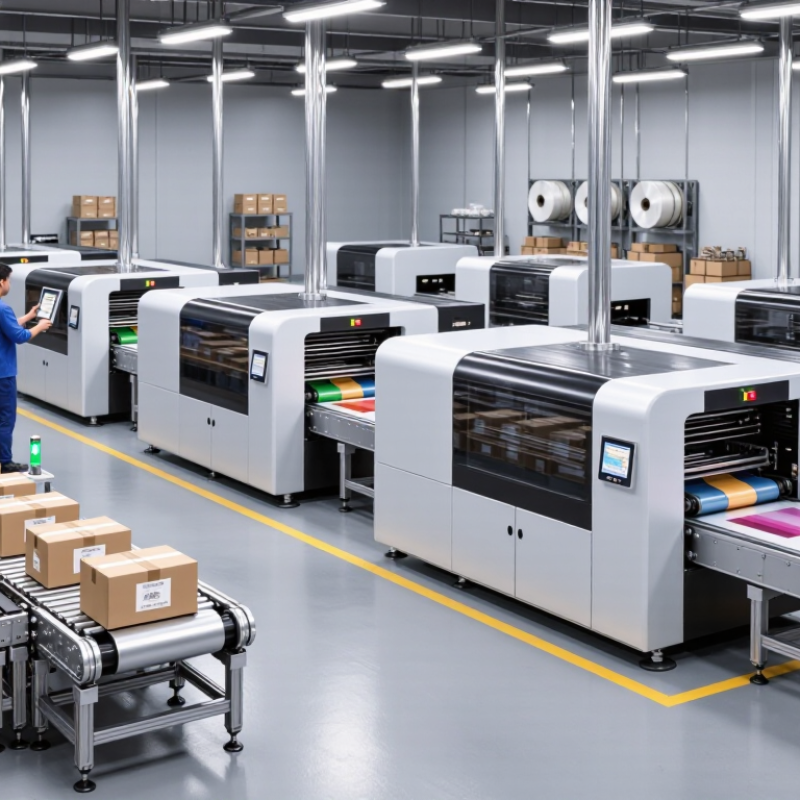
A packaging printing machine is industrial equipment that places text, images, colors, and codes on packaging materials. It may print on paper, cardboard, films, labels, or flexible substrates. Unlike an office printer, it handles wider rolls, faster production speeds, and materials with different surfaces. Common processes include flexographic, gravure, digital, and offset printing. Each process suits different volumes, finishes, and accuracy requirements.
In daily production, operators load the material, adjust tension, select suitable inks, and align the printing units. Sensors can monitor registration, while drying systems help prevent smearing. A reliable machine should produce clear barcodes, even color coverage, and stable results across long runs. It should also allow practical cleaning and straightforward maintenance. Small design details matter. For example, accessible rollers can reduce service time during a busy shift.
No machine is perfect. Even advanced equipment may show color variation when humidity, ink viscosity, or material thickness changes. I have found that impressive speed means little when setup waste becomes excessive. Buyers should examine actual samples, maintenance records, operator training, and safety controls before choosing equipment. A careful trial run often reveals problems that brochures do not mention. Ask about substrate compatibility, print resolution, drying performance, changeover time, and inspection systems. These details connect the machine’s specifications with real production conditions.
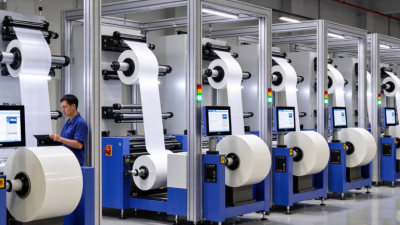
A packaging printing machine turns a blank roll of material into a controlled, readable package. It may print on paper, film, foil, or coated board. The process begins when an unwinding unit feeds the material through the machine. Tension rollers keep the web flat and steady. Without stable tension, images can stretch or shift.
The printing section applies ink through plates, cylinders, or digital printheads. Each color is placed in a precise position. Registration sensors compare printed marks and adjust the material path. The operator also checks ink viscosity, pressure, temperature, and drying speed. Small changes matter. Thick ink may blur fine text, while weak drying can cause smearing on the next roller. In real production, the first roll is rarely perfect. A careful operator may stop the line, inspect a sample, and correct the settings.
After printing, hot air, infrared energy, or ultraviolet light can dry the ink, depending on the process. Some machines then add coating, lamination, slitting, or surface treatment. These stages protect the image and prepare the material for filling and sealing. Quality checks often examine color consistency, barcode readability, print position, and surface defects. A machine can run quickly, but speed alone is not proof of quality. It is easy to overlook dust, uneven pressure, or a worn component. Regular cleaning and measured testing make the result more reliable. Even experienced teams need to review their assumptions.
| Evaluation Dimension | Typical Information | Why It Matters |
|---|---|---|
| Primary Function | Transfers text, graphics, barcodes, and product information onto packaging materials. | Supports product identification, branding, legal information, traceability, and consumer communication. |
| Common Printing Processes | Flexographic, gravure, offset, digital inkjet, and electrophotographic printing. | The correct process depends on run length, image quality, substrate, color requirements, and changeover frequency. |
| Typical Packaging Formats | Flexible films, paper bags, labels, folding cartons, corrugated sheets, pouches, and coated boards. | Machine configuration must match the package shape, web or sheet format, thickness, and surface properties. |
| Printing Workflow | Artwork preparation → substrate loading → ink or toner application → drying or curing → inspection → rewinding or finishing. | A controlled workflow helps maintain registration, color consistency, print quality, and production efficiency. |
| Substrate Compatibility | Paper, paperboard, polyethylene, polypropylene, polyester, aluminum foil, and laminated structures, depending on machine design. | Surface tension, absorbency, heat sensitivity, and coating affect ink adhesion and drying performance. |
| Ink and Imaging Options | Water-based inks, solvent-based inks, UV-curable inks, pigment inks, or dry toner, depending on the process. | Ink selection influences adhesion, drying time, odor, abrasion resistance, food-contact suitability, and environmental performance. |
| Typical Production Speed | Approximately 30–600 m/min for industrial web systems; actual speed varies by process, substrate, ink, and print resolution. | Higher speed can increase output, but drying capacity, registration control, and inspection capability must keep pace. |
| Color and Registration Control | Uses registration marks, cameras, sensors, automatic alignment, and color-management systems. | Precise control reduces color variation, image distortion, waste, and barcode-reading problems. |
| Drying or Curing Method | Hot air, infrared, ultraviolet light, electron beam, or natural absorption, depending on the ink system. | Proper drying prevents set-off, smearing, blocking, odor issues, and poor adhesion during converting. |
| Short-Run Capability | Digital systems generally require little or no plate preparation and can produce variable data efficiently. | Useful for samples, seasonal packaging, personalized designs, multiple stock-keeping units, and fast market testing. |
| Long-Run Capability | Flexographic and gravure systems are commonly selected for repeat production with high volumes. | Setup costs can be distributed across large quantities, helping reduce unit cost in stable, high-volume jobs. |
| Material Efficiency | Automatic tension control, optimized setup, inline inspection, and accurate registration can reduce start-up waste. | Lower material waste improves operating costs and supports more efficient resource use. |
| Automation Features | Servo drives, automatic viscosity control, preset job data, camera inspection, closed-loop color control, and remote diagnostics. | Automation can shorten setup time, improve repeatability, and reduce dependence on manual adjustments. |
| Quality Inspection | Checks may include color density, image position, print defects, barcode readability, and missing or repeated elements. | Early detection prevents defective packaging from progressing to lamination, cutting, filling, or shipment. |
| Finishing Integration | Printing may be followed by laminating, varnishing, slitting, die-cutting, folding, creasing, or pouch making. | Integrated or compatible finishing equipment helps preserve registration and reduces handling between production stages. |
| Key Selection Criteria | Required volume, package type, substrate range, color accuracy, job mix, changeover time, operating cost, and available floor space. | Matching the machine to actual production requirements helps avoid overcapacity, quality problems, and unnecessary investment. |
| Main Business Benefits | Consistent print quality, faster production, flexible job handling, improved traceability, and reduced manual intervention. | A suitable packaging printing machine can improve productivity while helping maintain reliable package appearance and information accuracy. |
Why Choose a Packaging Printing Machine?
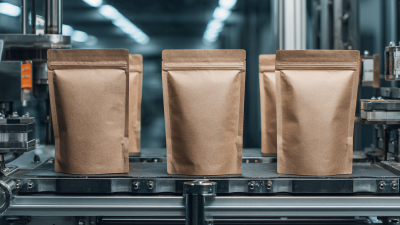
Packaging printing machines can handle more than ordinary paper. They print on kraft paper, coated paper, paperboard, and corrugated sheets. These materials suit bags, cartons, sleeves, and shipping boxes. Paperboard often produces sharp colors for retail packaging. Corrugated surfaces need controlled pressure. Otherwise, fine text may look uneven.
Flexible packaging requires different settings. Many machines print on polyethylene, polypropylene, polyester, and laminated films. These films support pouches, wraps, sachets, and protective liners. Their smooth surfaces can deliver strong images. However, ink adhesion may fail without suitable surface treatment. Testing matters. A small sample can reveal poor drying, smearing, or weak resistance.
Some systems also print on aluminum foil, synthetic labels, and coated metal sheets. Material thickness, heat sensitivity, and moisture resistance should guide the machine choice. In practical production, operators should check ink compatibility, curing performance, and required food-contact standards. I have seen attractive samples fail during folding because the ink cracked. That mistake is easy to overlook. A reliable workflow records the substrate, ink type, drying conditions, and inspection results. Not every machine handles every material equally well. Asking for verified samples is wiser than trusting a sales claim alone.
Packaging printing machines are selected according to the substrate, production volume, ink requirements, and finishing process. Paper and paperboard support the widest range of common packaging print technologies, while films, foil, glass, and metal containers typically require specialized ink adhesion, curing, or surface-treatment solutions.
Packaging printing machines bring measurable benefits to daily packaging production. From production-floor experience, their greatest value is consistent output. They apply ink evenly across cartons, pouches, labels, and flexible films. This reduces color variation between production batches. Operators can also adjust print settings with greater precision. Less waste matters.
Modern systems improve production speed without depending entirely on manual handling. Digital controls help operators monitor ink density, registration, pressure, and drying conditions. Shorter setup times make smaller orders more practical. Automatic inspection can detect blurred text, missing colors, or shifting images before a full batch is completed. These features protect material costs and reduce avoidable rework.
Still, automation is not magic. Poor calibration, unsuitable substrates, or rushed maintenance can weaken print quality. A reliable machine needs documented inspections and trained operators. Clear maintenance records also support safer, more predictable production decisions. One overlooked benefit is process learning: stored settings help teams repeat successful jobs with fewer adjustments. However, every facility has different humidity, materials, and workflow demands. Real results depend on matching the machine’s capabilities to those conditions, not simply choosing the fastest model.
Choosing a packaging printing machine starts with the package, not the machine. A food carton, flexible pouch, and corrugated box create different demands. Consider ink, drying, registration, and surface treatment. Record actual production conditions carefully. Include material thickness, format, order length, color count, and monthly waste. Small details matter. I once saw a line appear efficient until short-run setup consumed nearly an entire shift. The mistake came from optimistic estimates, not poor engineering.
Businesses should compare usable output rather than advertised speed. Request a trial with your own substrate and artwork. Check color consistency, drying performance, registration, and setup time. Inspect the control interface too. Operators should adjust pressure, tension, and ink flow without guessing. A machine needing constant specialist support can become a hidden labor cost. Also verify guarding, ventilation, electrical requirements, cleaning procedures, and applicable local standards.
Calculate ownership costs over several years. Include energy, ink, spare parts, training, maintenance, and rejected packaging. Ask about technical response times and component availability. Speak with current users, but compare their workloads carefully. My preference is to leave some capacity headroom, although this can be difficult to justify financially. Buying too much equipment wastes capital. Buying too little may create overtime, rushed maintenance, and missed delivery windows. The machine should fit current jobs and a realistic growth plan.