
Choosing a UV Digital Printing Machine is not just a matter of comparing speed and price. The decision affects print quality, daily workflow, maintenance, and the range of materials a shop can handle. A glossy sample may look impressive under showroom lights. The harder test is whether it stays consistent across a full production run.
The 2024 drupa Global Trends report drew on responses from around 1,000 printers and 400 suppliers across 36 countries. It offers a broad view of printing businesses, though it is not specific to UV equipment. That distinction matters. Benny Landa, founder of Landa Digital Printing, famously observed, “Everything that can become digital, will become digital.” For buyers, the practical question is which digital capabilities suit their real jobs, not every feature a brochure promises.
This guide turns that question into seven buying checks. We will look at print size, substrate compatibility, curing performance, resolution, throughput, service support, and total operating costs. Ask suppliers to demonstrate your own materials, not just a prepared sample. Watch the ink lay down on a textured surface. Listen for clear answers about head cleaning and replacement parts. Details matter. A candid admission: buyers can overvalue top speed and overlook setup time. I would, too. Treat specifications as starting points, then verify them with test prints, references, and a written cost estimate. A careful choice may be less exciting, but it is more likely to fit the work you actually sell.
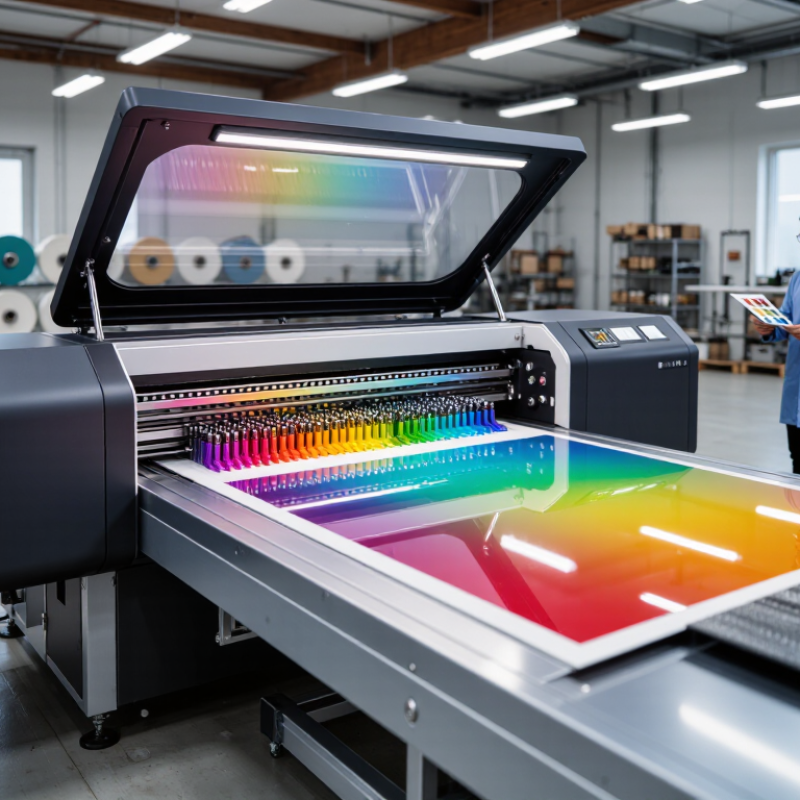
Before comparing UV printers, write down the largest and smallest substrates you actually plan to print. Measure them in millimetres, including any margins needed for clamps or registration. A 600 × 900 mm panel may fit the table but leave too little room for safe loading. Check the usable print area, not just the machine’s outside dimensions. Measure twice.
Thickness needs the same attention. Record the thinnest and thickest items, then include any backing board, jig, or fixture in the total height. A rigid 2 mm sheet and a slightly bowed 8 mm panel may need different clearances. Ask for the printer’s maximum material height and recommended print-head gap in millimetres. Keep a practical allowance for uneven surfaces; the advertised limit can be less forgiving in daily use.
It is tempting to choose a machine around one unusually large job. That can be an expensive mistake. Compare your measurements with the supplier’s written specifications, and test a real sample before committing. Include room for loading and unloading, especially if sheets are heavy or flexible. A test piece may reveal a clearance problem your spreadsheet missed. Recheck measurements when changing fixtures, because a few extra millimetres can affect head clearance and print quality.
Treat wavelength as a match, not a machine specification. CIE S 009/E:2002 defines UVA as 315–400 nm, placing 365, 385, and 395 nm within the same broad band. That does not make them interchangeable. Using constants published by NIST CODATA, their photon energies are approximately 3.40, 3.22, and 3.14 eV, respectively. Those figures describe photons, not cure speed. Compare the ink’s tested cure range with the LED’s measured spectral peak and bandwidth. A small mismatch can cause a big headache.
Request spectral data and irradiance readings at the actual print distance, not just rated electrical power. UV dose depends on irradiance and exposure time; a fast carriage may deliver less energy than a slower test suggests. Test actual jobs: thick white ink, dark stock, and glossy coatings may cure differently from a thin clear swatch. Use a radiometer suited to the LED band, and record speed, distance, and lamp condition. A tack-free surface can still hide weak adhesion. Run a rub or tape test after cooling. One caveat: dose readings are easy to misread. Ask for the ink’s validated wavelength-dose window, then confirm it on press. Paper data helps. Press trials decide.
When comparing UV digital printing machines, treat resolution and drop volume as related, not interchangeable. DPI describes how densely the printer places addressable dots; it does not guarantee a sharp image by itself. Drop volume, measured in picoliters (pL), indicates the amount of ink in each droplet. Smaller drops can help render fine edges and subtle transitions. Not always. Substrate texture, curing, ink behavior, and print speed also shape the result.
Ask for samples made on the materials you expect to print, not only glossy showroom sheets. Inspect small text, curved lines, skin tones, and gradients under consistent lighting. Use a loupe if available, then view the same area at normal distance. At close range, minor banding may look serious; across a finished panel, it may disappear. Compare both. Record the resolution setting, drop size, pass count, and speed used for each sample. This makes the comparison more useful than a single “maximum dpi” figure.
A high-dpi setting can increase detail, but it may also slow production or expose limitations in file quality. Likewise, a very small drop is not automatically best on every surface. A sample may still reveal slight banding or uneven coverage. That is worth investigating, not hiding. Request repeat prints and check whether results stay consistent across the bed and between runs. Choose a machine whose samples match your viewing distance, detail needs, and production target.
7 UV Digital Printing Machine Buying Tips
A UV printer’s speed is useful only when you know how it was measured. Ask for throughput in m²/h at the stated pass count and quality setting, not just the machine’s peak speed. More passes often improve detail or coverage but reduce output. Numbers need context. Check that the quoted figure uses the media width, ink configuration, and print mode you expect to use. A narrow test file may not represent a full production run.
Tips: Request a timed sample on your intended material. Record the pass count, quality setting, printable width, and finished area. Ask whether setup, curing, and routine pauses are included.
Compare like with like. For example, a 4-pass speed cannot fairly be compared with a 16-pass speed if the results differ in density or edge sharpness. Inspect the sample under normal viewing conditions; fine text and solid fills can reveal quality trade-offs. A showroom demo can look convincing, yet a long run may expose pauses for loading or cleaning. I would also ask for repeated runs, since one fast test may be unusually favorable. Keep the test details in writing so later quotes remain comparable.
7 UV Digital Printing Machine Buying Tips
A UV printer’s purchase price tells only part of the story. Estimate ink use in ml/m² using samples printed at your intended quality and coverage. A pale graphic and a dense, layered image can consume very different amounts. Multiply the measured usage by your expected monthly area and the ink price per milliliter. Add a modest allowance for purging, test prints, and jobs that need reprinting. Track those figures during a real trial; estimates from a brochure may not match your workflow.
Tips: Ask for a sample job on your own material. Record its ink use, print time, and any cleaning needed. Then compare the results with your production plan.
Include power in the estimate. Multiply the machine’s rated kW by operating hours and your electricity rate, but check whether the rating reflects typical printing or peak demand. Include heaters, extraction, and other equipment if they run with the printer. Service matters, too: ask what routine maintenance involves, which parts need periodic replacement, and how much downtime to expect. A first spreadsheet can look exact while missing labor or service delays. Revisit it after a few weeks of production; the assumptions may need adjusting.
Compare estimated annual ink, electricity, and service costs—not just the purchase price.
Illustrative assumptions: 10,000 m² printed per year, ink at $100/L, and electricity at $0.15/kWh. Annual energy cost is estimated from printer power divided by throughput, multiplied by print volume and electricity price.
Example machine profiles: Compact — 8 ml/m² ink, 2.5 kW, 20 m²/h, $1,200 annual service; Mid-range — 6 ml/m², 4 kW, 40 m²/h, $2,000 service; Production — 5 ml/m², 7.5 kW, 75 m²/h, $3,500 service. Actual usage and service costs vary by machine, print mode, workload, and local rates; confirm them with suppliers.
